
◆ Research Methods
Which AI and research tools help at each stage of a project?
Category: research-methods
Last updated: 2026-10-03

Most lists of AI tools for research treat every tool as if it were AI and every tool as if it were equally reliable. Gusenbauer and Haddaway (2020) tested 28 academic search systems and concluded that only half of them can be recommended for evidence syntheses without substantial caveats. If a basic job such as searching has that much variation, the claims made for newer tools deserve the same scrutiny.
Direct answer: Only some stages of a research project have genuine AI tools: literature search, reading, citation context, writing feedback and screening. Reference managers, statistics packages and open repositories carry much of the work without AI features in our sources. Pick tools by stage, then check each free limit and its evidence.
A chatbot answer from Perplexity, asked on 3 October 2026, grouped tools by task but gave no peer-reviewed evidence on accuracy or coverage. This guide adds that evidence. Where our sources hold no independent test of a tool, the table says so instead of filling the gap with a vendor slogan. Free-access limits were read from vendor pages on 3 October 2026 and can change.
◆ Question 1 / 12 · What AI tools cover
What do AI tools for research cover, and what do they leave out?
Direct answer: Research tools fall into ten groups along the workflow, from finding papers to screening them for a systematic review. Six of the ten groups include a tool built on machine learning or a language model, one of them (qualitative analysis) only through optional features. The others hold ordinary software such as managers, analysis packages and repositories.
Which of the ten stages have AI inside
Six of the ten stages have a tool whose vendor describes an AI or machine-learning feature.
Stage
AI inside?
1. Finding literature
Some, namely Consensus and Elicit.
2. Citation mapping
scite uses deep learning.
3. Reading and summarising
Yes.
5. Writing
Writefull and Paperpal.
7. Qualitative analysis
Optional features only.
10. Screening for systematic reviews
ASReview and Elicit.
Save this figure
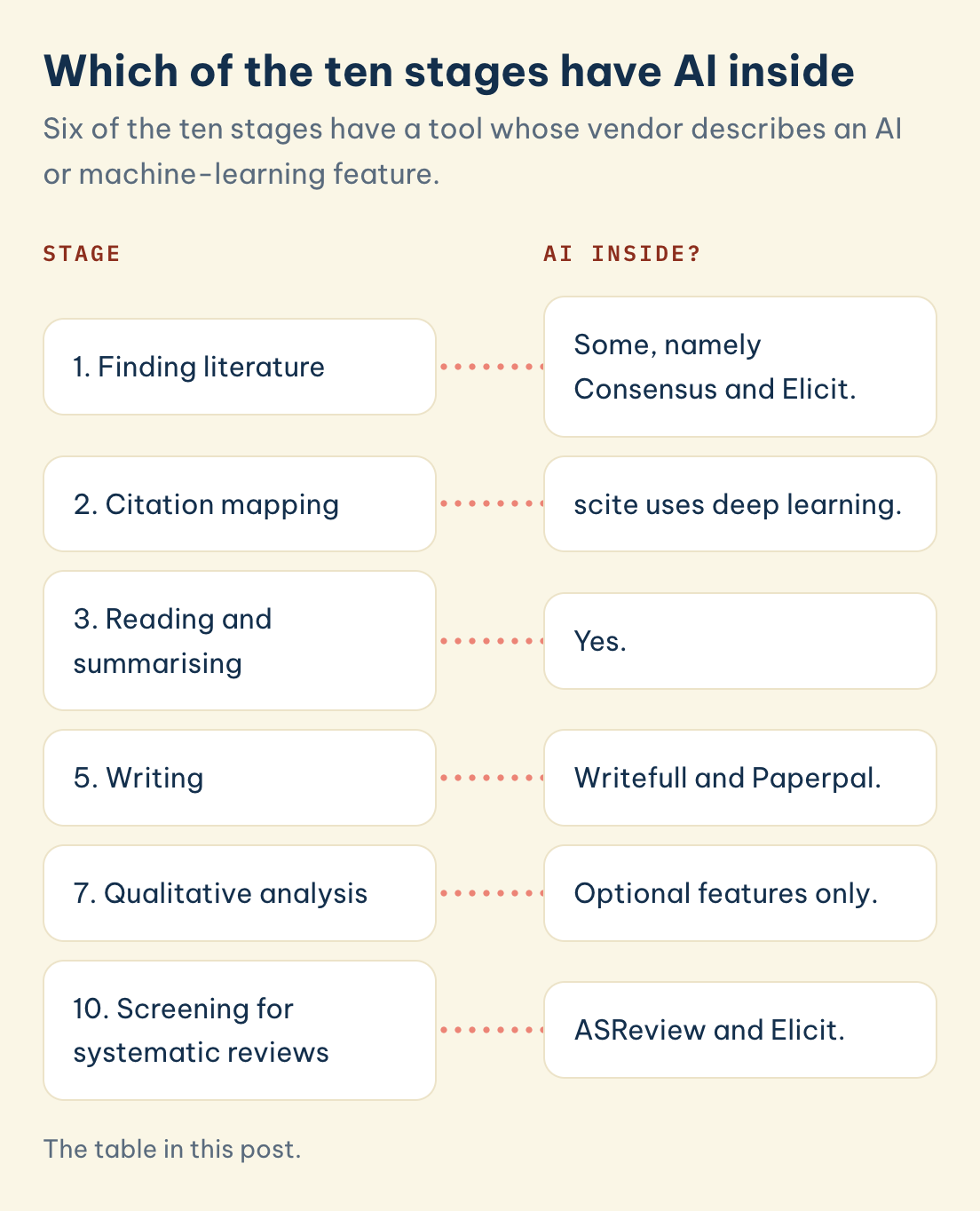
The table maps the ten groups. "AI inside" means the vendor describes an AI or machine-learning feature in the tool, not that the tool is better for it.
| Stage | Example tools | AI inside? |
|---|---|---|
| 1. Finding literature | Google Scholar, Semantic Scholar, Scopus, Web of Science, Consensus, Elicit | Some (Consensus, Elicit) |
| 2. Citation mapping | ResearchRabbit, Connected Papers, Litmaps, VOSviewer, scite | scite uses deep learning |
| 3. Reading and summarising | SciSpace, NotebookLM, Scholarcy, Semantic Reader | Yes |
| 4. Reference management | Zotero, Mendeley, EndNote, JabRef | No |
| 5. Writing | Overleaf, Writefull, Paperpal, Academic Phrasebank | Writefull and Paperpal |
| 6. Quantitative analysis | SPSS, R and RStudio, JASP, jamovi, Stata, G*Power | No |
| 7. Qualitative analysis | NVivo, ATLAS.ti, MAXQDA, Taguette, QualCoder | Optional features only |
| 8. Figures and visualisation | BioRender, Datawrapper, diagrams.net, GraphPad Prism | No |
| 9. Collaboration and open science | OSF, Zenodo, protocols.io, GitHub, Jupyter | No |
| 10. Screening for systematic reviews | Rayyan, Covidence, ASReview, Elicit | ASReview and Elicit |
Two points hold for every stage. A free plan is a snapshot, so the column headed "Free access" in each table is dated and should be rechecked before you rely on it. And a tool that a vendor says saves time is not the same as a tool that an independent test has found accurate, which is why every table has an "Evidence" column.
◆ Question 2 / 12 · Finding literature
Which tools help you find academic literature?
Direct answer: Start with a database whose coverage is documented, and treat AI search assistants as a second pass. Gusenbauer and Haddaway (2020) found Google Scholar inappropriate as a principal search system for systematic reviews, so combine it with subject databases. Consensus and Elicit can suggest papers but need checking.
| Tool | What it does | Free access, checked 3 October 2026 | Evidence |
|---|---|---|---|
| Google Scholar | Web search across scholarly literature | No plan limits listed in our sources | Gusenbauer & Haddaway (2020): not suitable as the principal system for evidence syntheses |
| Semantic Scholar | Free search from Ai2 with a vendor-stated "more than 200 million papers" | Free; API relevance search returns up to 1,000 results | Vendor statement only |
| Scopus | Curated citation database with an independent title-selection board | Organisation subscription only | Martín-Martín et al. (2018) compared its citations with Google Scholar and Web of Science |
| Web of Science | Clarivate citation database | Institutional subscription | Same comparison; the vendor states a 10 to 12% journal acceptance rate |
| Consensus | AI search that answers questions from papers | 10 Pro messages and 3 Deep reviews per month | No peer-reviewed accuracy test found |
| Elicit | AI search and data extraction | Free Basic plan; paid tiers are Plus, Pro and Scale | Hilkenmeier et al. (2025) tested its extraction, see stage 10 |
Gusenbauer and Haddaway (2020) evaluated Google Scholar, PubMed and 26 other resources, and found that only half can be recommended for evidence syntheses without adding substantial caveats. The point is not that Google Scholar is useless. It is useful for a first look, but its inclusion rules and its lack of reproducible filtering make it a weak sole source for a review that others must be able to repeat.
Martín-Martín et al. (2018) compared the citations that Google Scholar, Web of Science and Scopus record across 252 subject categories, which is why the choice of database changes citation counts and, therefore, what a search appears to find. Scopus is selected by an independent board and sold by subscription, so your university library is the first place to check for access. Web of Science is also institutional, and the vendor states that subscriptions vary between institutions.
AI search tools sit on top of the same literature. Consensus and Elicit return summaries of papers in answer to a question, and the free limits are small: Consensus lists 10 Pro messages per month. The only independent test we found is for Elicit's data extraction, covered below, so treat any AI-generated list of papers as a lead to verify in the database, not as a search strategy.
◆ Question 3 / 12 · Citation mapping
Which tools map citations and show how later papers treat a claim?
Direct answer: Citation mapping tools take one or two papers you already trust and draw the papers that cite or are cited by them. scite goes one step further and labels how a later paper cites a claim as supporting, contrasting or merely mentioning it. The maps depend on the database behind them, so gaps in that data appear on the map.
| Tool | What it does | Free access, checked 3 October 2026 | Evidence |
|---|---|---|---|
| ResearchRabbit | Builds citation maps and collections, with a Zotero importer | Up to 50 starting articles | A Kennesaw State poster warns it may miss grey literature and its algorithm is not transparent |
| Connected Papers | Draws a graph of papers related to one paper | 5 graphs per month | A LMU guide notes coverage gaps for monographs and textbooks |
| Litmaps | Visual literature maps seeded from your papers | Up to 20 inputs, 2 Litmaps, 100 articles per map | An HKUST guide lists Crossref, Semantic Scholar and OpenAlex as its data sources |
| VOSviewer | Constructs and views bibliometric maps | Free | van Eck & Waltman (2010) describe it as a freely available program |
| scite | Smart Citations that classify support, contrast and mention | The free tier lists no platform access and 25 MCP credits | Nicholson et al. (2021), written by the scite team |
van Eck and Waltman (2010) introduced VOSviewer as a freely available computer program and demonstrated it with a map of 5,000 journals. It is a bibliometric tool, so it is the right choice when you want a map of a whole field for a literature review chapter, and a poorer choice for finding the five papers closest to one study.
Connected Papers relies on Semantic Scholar data, and Litmaps draws on Crossref, Semantic Scholar and OpenAlex, according to library guides at LMU and HKUST. Library guides, not peer-reviewed tests, are the evidence here, so the practical test is to run your own known-item check: map a paper whose citations you already know and see what is missing.
Nicholson et al. (2021) describe scite as a smart citation index that displays the context of citations and classifies their intent using deep learning. Their paper was written by scite's own team, which is worth knowing when you weigh its accuracy claims. The free tier we saw offers no platform access, so check what your library provides before planning a workflow around it.
◆ Question 4 / 12 · Reading and summaries
Which tools help you read and summarise papers?
Direct answer: Reading tools upload a paper or a set of sources and answer questions about them, so they save time on first pass reading only. None of the four tools below has a peer-reviewed accuracy test that we found. Check every summary and every number against the original paper before it enters your notes.
| Tool | What it does | Free access, checked 3 October 2026 | Evidence |
|---|---|---|---|
| SciSpace | AI assistant for reading and searching papers | Basic plan with 100 credits per month; credits expire each cycle | Independent evaluations we found conflict, so we cite none |
| NotebookLM | Source-grounded answers with inline citations | Renamed Gemini Notebook in July 2026; Standard plan: 100 notebooks, 50 sources per notebook, "subject to change" | No peer-reviewed accuracy test found |
| Scholarcy | Turns papers into summary flashcards | The vendor's own pages give two different free limits, so check the current one | No peer-reviewed test found |
| Semantic Reader | Augmented reading interface with highlights | Free; the site says highlights cover most English-language arXiv papers in computer science fields | Lo et al. (2024) describe the project |
Lo et al. (2024) describe the Semantic Reader Project, which is research on a reading interface rather than a test of summary accuracy. That distinction matters: a paper describing a tool tells you what it is designed to do, not how often it is right.
For NotebookLM, Google's plans page states the rename, and its help centre lists the limits above as subject to change. Its answers are grounded in the sources you upload, which limits wandering but does not remove errors. A grounded answer can still compress a paper's qualifications out of a sentence, so the habit that protects you is to open the cited passage every time.
◆ Question 5 / 12 · Reference managers
Which reference managers should you use?
Direct answer: Use a reference manager from the first week, because a bibliography rebuilt at the end invites errors. The sources describe no AI features in Zotero, Mendeley, EndNote or JabRef and do not support ranking one above the others. Zotero is free, open source and works with Word, LibreOffice and Google Docs, but versions change and your university may support another.
| Tool | What it does | Free access, checked 3 October 2026 | Evidence |
|---|---|---|---|
| Zotero | Open-source manager with word-processor plugins | 300 MB free sync storage; local storage unlimited; 10,000+ styles in its repository | Ivey & Crum (2018): informal product review of 2018 versions |
| Mendeley | Manager with a Word add-in | 2 GB free; the Cite add-in works with Word only | Included in the Ivey & Crum (2018) review |
| EndNote | Paid desktop manager plus EndNote Basic online | Basic is free: 2 GB, 50,000 references, 21 styles; desktop has 7,000+ styles | Included in the Ivey & Crum (2018) review |
| JabRef | Free open-source manager for BibTeX and biblatex | Free; works with Word and LibreOffice | No accuracy test found |
Ivey and Crum (2018) reviewed EndNote, Mendeley, RefWorks and Zotero as a product review with informal testing of the 2018 versions, and reported that Zotero generated the most accurate bibliographies in their testing. Informal testing of one year's software is modest evidence, and it tested reference output, not the quality of the sources you collect.
Choose by compatibility. Zotero offers plugins for Word, LibreOffice and Google Docs, whereas the Mendeley Cite add-in is not available for LibreOffice or Google Docs. If your thesis is written in LaTeX, JabRef reads BibTeX files directly. Whatever you choose, store the library file in a second place, because the free cloud limits listed above are small compared with a library that includes PDFs.
◆ Question 6 / 12 · Academic writing
Which tools help with academic writing?
Direct answer: Writing tools split into typesetting, language feedback and phrase banks. Overleaf handles LaTeX documents, Writefull and Paperpal give AI language feedback, and Academic Phrasebank offers sentence patterns. None replaces your argument. Check your university policy before pasting thesis text into any online service.
| Tool | What it does | Free access, checked 3 October 2026 | Evidence |
|---|---|---|---|
| Overleaf | Online LaTeX editor | Free plan with 1 collaborator per project and a basic compile timeout | No accuracy claim to test |
| Writefull | AI language feedback for academic text, from Digital Science | Not confirmed, check the vendor page | No independent test found |
| Paperpal | AI language feedback for manuscripts | Paid prices differ across the vendor's own pages, so we publish none | No independent test found |
| Academic Phrasebank | Free sentence patterns for academic writing | Free, open access | Built from a corpus of 100 Manchester postgraduate dissertations plus articles |
Academic Phrasebank describes its items as mostly content neutral and generic, and says that using its phrases does not constitute plagiarism. Both statements come from the site itself, and they fit its use as a source of sentence frames rather than of ideas. Your own claims still have to come from your own evidence.
We did not cite the one language-feedback evaluation we found for Writefull, because it is hosted by a competitor. The honest summary for AI language tools is therefore that independent accuracy evidence is thin, so read every suggested change and keep the meaning yours. Whether such tools are allowed at all is a university question, covered in which AI tools are allowed in university work.
◆ Question 7 / 12 · Quantitative analysis
Which tools help with quantitative analysis?
Direct answer: Quantitative analysis runs on statistics packages, not AI assistants. SPSS and Stata are paid licences, usually through a university, while R, JASP, jamovi and GPower are free. Choose by what your department teaches and your supervisor can check, then plan the sample size with GPower before you collect data.
| Tool | What it does | Free access, checked 3 October 2026 | Evidence |
|---|---|---|---|
| SPSS | Statistics package with menus | Paid licence (institutional or individual); free trial; GradPack for students | Vendor product page |
| R and RStudio | Statistical language and editor | R is free; RStudio Desktop is open source under AGPL v3 | Vendor pages |
| JASP | Menu-driven Bayesian and frequentist statistics | Free and open source | Love et al. (2019) |
| jamovi | Free and open statistical spreadsheet | Desktop works offline; cloud guest plan is free | Vendor page |
| Stata | Statistics package | Paid licence (institutional or individual); free 6-month Basic Edition for undergraduate courses through instructors | Vendor page |
| G*Power | Statistical power analysis | Free | Faul et al. (2007) |
Love et al. (2019) present JASP in the Journal of Statistical Software as graphical software for common statistical designs, and the JASP site says its analyses are implemented in R and that it will always be free. That matters if you want to move from menus to code later, because the same analysis can be reproduced in R.
Faul et al. (2007) describe G*Power 3 as a program for statistical power analysis in the social, behavioural and biomedical sciences, and state in the abstract that it is free. Power analysis belongs before data collection, because it tells you how large a sample the planned test needs. For the choice between designs, qualitative vs quantitative vs mixed methods sets out the trade-offs.
◆ Question 8 / 12 · Qualitative analysis
Which tools help with qualitative analysis?
Direct answer: Qualitative software organises and retrieves your coding, and it does not interpret your data. NVivo, ATLAS.ti and MAXQDA are paid, while Taguette and QualCoder are free and open source. Pick one that suits your team size and data type, then keep the interpretation in your own hands.
| Tool | What it does | Free access, checked 3 October 2026 | Evidence |
|---|---|---|---|
| NVivo | Coding and retrieval software from Lumivero | Paid annual subscription (institutional or individual); perpetual licences are being phased out | Zamawe (2015) |
| ATLAS.ti | Coding software on Windows, Mac and web | Student licence needs proof of enrolment | A Temple University guide says its generative AI features send data to OpenAI servers |
| MAXQDA | Coding software, identical on Windows and Mac | Student licences for 6 or 12 months | Vendor statement |
| Taguette | Open-source tagging of text | Free (BSD licence); tagging only, no visualisation | Rampin & Rampin (2021) |
| QualCoder | Open-source desktop coding of text, images, audio and video | Free; single-user, no real-time collaboration | Brailas et al. (2023) |
A Malawi Medical Journal article reflecting on NVivo puts the limit plainly: "the main function of CAQDAS is not to analyse data but rather to aid the analysis process, which the researcher must always remain in control of" (Zamawe, 2015, p. 13). That sentence applies to every tool in the table, including any AI coding assistant a vendor adds.
St. John and Johnson (2000) weigh the pros and cons of data analysis software for qualitative research, and Brailas et al. (2023) conclude that such software cannot substitute for the quality of the research and the researcher. Rampin and Rampin (2021) report Taguette as an open-source alternative, and the Temple University and University of Delaware guides note it only tags text. For method guidance, see how to do thematic analysis.
◆ Question 9 / 12 · Figures
Which tools help with figures and visualisation?
Direct answer: Figure tools differ mainly in licence terms, not in features. BioRender's free plan excludes publication use, Datawrapper's free charts carry an attribution line, and diagrams.net is free. Read the licence before a figure goes into a thesis or manuscript, because a figure you cannot publish is wasted work.
| Tool | What it does | Free access, checked 3 October 2026 | Evidence |
|---|---|---|---|
| BioRender | Scientific illustrations | Free plan: no commercial use or publication, with a watermark | Vendor plan page |
| Datawrapper | Charts and maps for the web | Free charts keep a "Created with Datawrapper" attribution; PDF and SVG export need a paid plan | Vendor plan page |
| diagrams.net | Diagram editor | Free; the vendor says it stores nothing on its servers | Vendor statement |
| GraphPad Prism | Statistics and graphing | Paid licence (institutional or individual); free trial; one-year individual student licence | Vendor page |
None of these tools has an independent accuracy test that we found, and none needs one, because they draw what you give them. The risks are practical. A watermarked figure can be rejected, an attribution line may not fit your journal's style, and a student licence for individual use may not cover a shared lab account.
For a thesis, the deciding difference is often the licence terms. Ask your library which of these it licenses. Paid tools such as Prism are often available through a university, and the free plans above can still serve for drafts and presentations.
◆ Question 10 / 12 · Open science
Which tools support collaboration and open science?
Direct answer: Open science tools store and share the work behind a paper. OSF handles study registrations and preprints, Zenodo archives datasets with a citable record, protocols.io shares methods, and GitHub and Jupyter hold code and notebooks. They are not AI, but they make your work checkable.
| Tool | What it does | Free access, checked 3 October 2026 | Evidence |
|---|---|---|---|
| OSF | Registrations and preprints | Free for individuals; 5 GB limit for new Registrations | Vendor help page |
| Zenodo | CERN-hosted repository for datasets and software | Free; 50 GB and 100 files per record | Retention policy: for the lifetime of CERN |
| protocols.io | Shared research protocols | Free to read and publish public protocols; free plan allows 2 private protocols and 100 MB | Vendor plan page |
| GitHub | Code hosting and version control | Free plan | Vendor pricing page |
| Jupyter | Notebooks that combine code, text and output | Free; modified BSD licence | Vendor site |
The value here is reproducibility rather than speed. A registered plan shows what you intended before you saw the data, and an archived dataset with a persistent record lets a reader check your numbers. Limits matter, though: the 5 GB cap on new OSF Registrations and the 50 GB per Zenodo record decide where large data can live.
Check retention before you deposit. Zenodo states that retention lasts for the lifetime of CERN, which is a firm statement but still not a guarantee for ever. For a thesis, keep a local copy and note the repository record in your data availability statement.
◆ Question 11 / 12 · Screening records
Which tools screen records for systematic reviews?
Direct answer: Screening and extraction is where our sources hold their most direct tests of AI tools. Hilkenmeier et al. (2025) found Elicit's extraction accuracy close to human reviewers' (81.4% vs 86.7%, not statistically significant), and van de Schoot et al. (2021) describe ASReview. Use them as a second reviewer, not a replacement.
| Tool | What it does | Free access, checked 3 October 2026 | Evidence |
|---|---|---|---|
| Rayyan | Web and mobile app for screening records | Free plan with 3 active reviews | Ouzzani et al. (2016): self-reported time savings |
| Covidence | Screening and extraction platform | Paid licence (institutional or individual); no student discount; concessions for low and middle income countries | Vendor pricing page |
| ASReview | Open-source active learning screening | Free (Apache 2.0) | van de Schoot et al. (2021) |
| Elicit | Data extraction from papers | Free Basic plan | Hilkenmeier et al. (2025) |
Hilkenmeier et al. (2025) tested Elicit as a semi-automated second reviewer for data extraction across 43 studies and 602 data points, in one systematic review on psychological factors in dermatological conditions. Elicit's accuracy was 81.4% against 86.7% for human reviewers, and the difference was not statistically significant. Where the humans and Elicit agreed, the answer was correct in 100% of cases. That is a proof of concept on one extraction task, so it does not show that Elicit can run a whole review.
Ouzzani et al. (2016) report a user survey on Rayyan with "40% average time savings" compared to other tools, and the figure is self-reported, so it describes what users said, not what a timed trial measured. The vendor's own "up to 90%" claim is marketing and we do not use it. van de Schoot et al. (2021) state that active learning can yield far more efficient reviewing than manual reviewing while providing high quality, and that the default settings should be carefully examined. The wider rules for screening with AI are in AI systematic review screening.
◆ Question 12 / 12 · Using tools safely
How do you use these tools safely?
Direct answer: Treat every AI output as a lead, not a source. Open each cited paper and confirm the claim, number and reference in the original, record which tools you used, and read your university's AI policy before submitting. The tools above change quickly, so recheck free limits on the vendor's page.
Three habits cover most of the risk. First, verify before you cite: an AI summary or a tool-generated reference is a pointer to a paper, and the paper itself is the source. Second, keep a log of which tool did what, because a trail is the best defence if your use is questioned. Third, follow the rules of the institution that will examine you, which differ between universities and sometimes between modules.
For the ethics of AI in a literature review specifically, read how to use AI ethically in a literature review, and for the review itself, how to write a literature review explains how the sources you collect become an argument.
Frequently asked questions
What are the best AI tools for research?
No single tool is best, and our sources do not support a ranking. Genuine AI tools exist for search, reading, citation context, writing feedback and screening, while our sources describe no AI features in reference managers, statistics packages or repositories. Choose by stage, check each free limit, and prefer tools that have an independent test.
Which AI tool is the most accurate for extracting data from papers?
The only independent test we found is for Elicit. Hilkenmeier et al. (2025) found 81.4% accuracy against 86.7% for human reviewers over 602 data points in 43 studies, and the difference was not statistically significant. That is one proof of concept, so verify extractions against the papers.
Are there free alternatives to NVivo and SPSS?
Yes. Taguette and QualCoder are free open-source tools for qualitative coding, and R, JASP and jamovi are free for quantitative analysis. Whether your department accepts them is a separate question, so confirm with your supervisor before you switch tools mid-project.
Is one reference manager more accurate than the others?
In an informal 2018 product review, Ivey and Crum (2018) found that Zotero produced the most accurate bibliographies in their testing. Versions change, so always check the output against your style guide.
Can I use AI tools in my thesis?
It depends on your university and sometimes your module. Read the policy, declare any use it requires, and keep a log. Which AI tools are allowed in university work explains how to find the rule that applies to you.
Can MAAS help me choose a research workflow?
Yes. MAAS Academic Mentoring matches you with a discipline-matched expert who coaches you through topic, method, data and writing, and who can talk through which tools fit your project and your university's rules. You remain the author throughout. Book a consultation through our contact page.
Ready to build a research workflow you can defend?
Choosing tools is easier with someone who has supervised research in your field. MAAS Academic Mentoring pairs you with a discipline-matched expert who guides your thesis or dissertation phase by phase, from topic and proposal to methodology and data analysis, while you research and write every word yourself. 23% of MAAS experts hold a PhD. Matching usually takes up to 48 hours when our network already covers that field. If it does not, MAAS opens a dedicated recruitment round for your case, which can take about two weeks. The free 20-minute consultation is the place to start. We coach; you stay the author, every step.
Book an Academic Mentoring consultation with MAAS →
Related guides
- Which AI tools can help with a literature review, and at which step?: the six steps of a review, tool by tool
- Which reference management software should you use for a thesis?: Zotero, Mendeley, EndNote and JabRef compared
- Which qualitative data analysis software fits your thesis?: what CAQDAS can and cannot do
- How do you use AI ethically in a literature review?: where AI help ends and misconduct begins
- Which AI tools are allowed in university work?: how to find your own institution's rule
- How does AI screening work in a systematic review?: the detail behind stage 10
- How do you do a thematic analysis?: the method your qualitative software supports
- Qualitative vs quantitative vs mixed methods: choosing the design before the tool
- How do you write a literature review?: turning sources into an argument
- Academic Mentoring service: one-to-one coaching for your thesis or dissertation
References
- Brailas, A., Tragou, E., & Papachristopoulos, K. (2023). Introduction to qualitative data analysis and coding with QualCoder. American Journal of Qualitative Research, 7(3), 19–31. https://doi.org/10.29333/ajqr/13230
- Faul, F., Erdfelder, E., Lang, A.-G., & Buchner, A. (2007). G*Power 3: A flexible statistical power analysis program for the social, behavioral, and biomedical sciences. Behavior Research Methods, 39(2), 175–191. https://doi.org/10.3758/BF03193146
- Gusenbauer, M., & Haddaway, N. R. (2020). Which academic search systems are suitable for systematic reviews or meta-analyses? Evaluating retrieval qualities of Google Scholar, PubMed, and 26 other resources. Research Synthesis Methods, 11(2), 181–217. https://doi.org/10.1002/jrsm.1378
- Hilkenmeier, F., Pelzer, M., Stierle, C., & Fink-Lamotte, J. (2025). Evaluating the AI tool "Elicit" as a semi-automated second reviewer for data extraction in systematic reviews: A proof-of-concept. Social Science Computer Review. Advance online publication. https://doi.org/10.1177/08944393251404052
- Ivey, C., & Crum, J. (2018). Choosing the right citation management tool: EndNote, Mendeley, RefWorks, or Zotero. Journal of the Medical Library Association, 106(3), 399–403. https://doi.org/10.5195/jmla.2018.468
- Lo, K., Chang, J. C., Head, A., Bragg, J., Zhang, A. X., Trier, C., Anastasiades, C., August, T., Authur, R., Bragg, D., Bransom, E., Cachola, I., Candra, S., Chandrasekhar, Y., Chen, Y. S., Cheng, E. Y. Y., Chou, Y., Downey, D., Evans, R., . . . Weld, D. S. (2024). The Semantic Reader Project. Communications of the ACM, 67(10), 50–61. https://doi.org/10.1145/3659096
- Love, J., Selker, R., Marsman, M., Jamil, T., Dropmann, D., Verhagen, J., Ly, A., Gronau, Q. F., Šmíra, M., Epskamp, S., Matzke, D., Wild, A., Knight, P., Rouder, J. N., Morey, R. D., & Wagenmakers, E.-J. (2019). JASP: Graphical statistical software for common statistical designs. Journal of Statistical Software, 88(2). https://doi.org/10.18637/jss.v088.i02
- Martín-Martín, A., Orduna-Malea, E., Thelwall, M., & Delgado López-Cózar, E. (2018). Google Scholar, Web of Science, and Scopus: A systematic comparison of citations in 252 subject categories. Journal of Informetrics, 12(4), 1160–1177. https://doi.org/10.1016/j.joi.2018.09.002
- Nicholson, J. M., Mordaunt, M., Lopez, P., Uppala, A., Rosati, D., Rodrigues, N. P., Grabitz, P., & Rife, S. C. (2021). scite: A smart citation index that displays the context of citations and classifies their intent using deep learning. Quantitative Science Studies, 2(3), 882–898. https://doi.org/10.1162/qss_a_00146
- Ouzzani, M., Hammady, H., Fedorowicz, Z., & Elmagarmid, A. (2016). Rayyan: A web and mobile app for systematic reviews. Systematic Reviews, 5, Article 210. https://doi.org/10.1186/s13643-016-0384-4
- Rampin, R., & Rampin, V. (2021). Taguette: Open-source qualitative data analysis. Journal of Open Source Software, 6(68), 3522. https://doi.org/10.21105/joss.03522
- St. John, W., & Johnson, P. (2000). The pros and cons of data analysis software for qualitative research. Journal of Nursing Scholarship, 32(4), 393–397. https://doi.org/10.1111/j.1547-5069.2000.00393.x
- van de Schoot, R., de Bruin, J., Schram, R., Zahedi, P., de Boer, J., Weijdema, F., Kramer, B., Huijts, M., Hoogerwerf, M., Ferdinands, G., Harkema, A., Willemsen, J., Ma, Y., Fang, Q., Hindriks, S., Tummers, L., & Oberski, D. L. (2021). An open source machine learning framework for efficient and transparent systematic reviews. Nature Machine Intelligence, 3(2), 125–133. https://doi.org/10.1038/s42256-020-00287-7
- van Eck, N. J., & Waltman, L. (2010). Software survey: VOSviewer, a computer program for bibliometric mapping. Scientometrics, 84(2), 523–538. https://doi.org/10.1007/s11192-009-0146-3
- Zamawe, F. C. (2015). The implication of using NVivo software in qualitative data analysis: Evidence-based reflections. Malawi Medical Journal, 27(1), 13–15. https://doi.org/10.4314/mmj.v27i1.4
This article is part of the MAAS Journal series for Vietnamese international postgraduate students and researchers. MAAS Academic Mentoring is an advisory service; we coach students through a phase-by-phase process with feedback from discipline-matched experts. We do not write, submit, or guarantee the outcome of work on a student's behalf.
A free 20-minute consultation is a conversation about your situation and your research workflow.
Book a free consultation ▸