
◆ Research Methods
Literature review AI: which tools help, and at which step?
Category: research-methods
Last updated: 2026-10-03

Literature review AI helps most when each tool is matched to the layer it serves, because a literature review that reads well is usually built in layers. The papers are found on one day, read on another, and compared only near the end, and each layer asks for a different kind of help. Software marketed as an "AI literature review assistant" tends to speak to one layer and say nothing about the rest.
This guide follows the layers in the order a student meets them, and asks the same four things of each: what you actually do, where an AI feature can join in, how to check what it hands back, and what stays your job. It is a working method, so the wider map of AI and research tools across a whole project is the place for full tool tables and free-access limits. The free limits listed in that guide were checked on 3 October 2026 and may have moved since.
◆ Question 1 / 7 · Question to argument
How does a literature review move from question to argument?
Direct answer: A literature review has six working steps: searching, following citations, screening, reading, synthesising and managing references. AI features exist for the first four and reference managers handle the last, while synthesis is yours alone. Our sources hold only one independent accuracy test of an AI tool, so treat vendor claims as unverified.
What you must check yourself at each step
Each row sets one step of a literature review beside what you must check yourself at that step.
Step
What you must check yourself
1. Search
That each paper exists and the search can be rerun.
2. Follow citations
Which papers on the map matter, and what the map misses.
3. Screen
Every include or exclude decision, and the settings used.
4. Read and extract
Each figure and quotation against the original paper.
5. Synthesise
The comparison and the argument.
6. Reference
Output against your style guide.
Save this figure
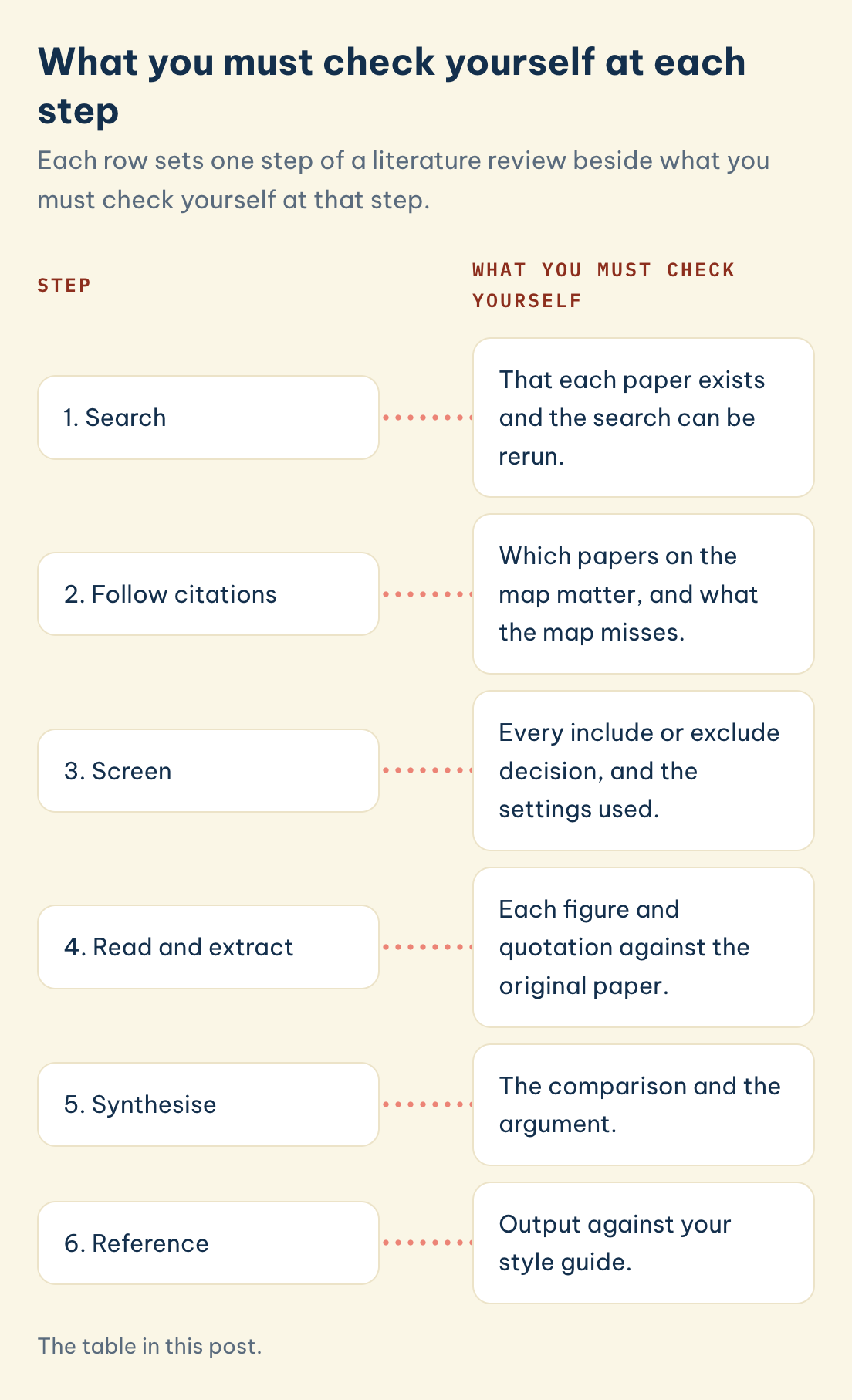
The table below puts the four questions side by side. Tool names are examples only, and a vendor describing an AI feature does not make the tool better at that step.
| Step | Where AI can help | What you must check yourself | Tool examples |
|---|---|---|---|
| 1. Search | Proposes papers and wording for a question | That each paper exists and the search can be rerun | Semantic Scholar, Consensus, Elicit |
| 2. Follow citations | Maps who cites whom | Which papers on the map matter, and what the map misses | ResearchRabbit, Connected Papers, Litmaps, scite |
| 3. Screen | Orders records so likely matches come first | Every include or exclude decision, and the settings used | Rayyan, ASReview |
| 4. Read and extract | Answers questions about uploaded papers and fills extraction tables | Each figure and quotation against the original paper | NotebookLM (renamed Gemini Notebook in July 2026, according to Google), SciSpace, Elicit |
| 5. Synthesise | Nothing that our sources test | The comparison and the argument | None |
| 6. Reference | Formats citations, with no AI feature in our sources | Output against your style guide | Zotero, Mendeley, EndNote, JabRef |
Evidence matters as much as features. A vendor saying a tool saves time is a different thing from an independent test finding it accurate, so each step below says which kind of evidence we found.
◆ Question 2 / 7 · Step 1: searching
Step 1: how do you search so that someone else could repeat it?
Direct answer: Write the question, list its synonyms, search databases whose coverage is documented, and keep the exact string and date. Gusenbauer and Haddaway (2020) tested 28 systems and found that only half could be recommended for evidence syntheses without substantial caveats. AI search is useful for extra leads, not as the only record.
What you do here is turn a topic into a question and the question into blocks of keywords. Each block gets its synonyms, and the blocks are joined in a database your library gives you access to. A search saved with its date can be rerun, which is what lets a supervisor or examiner see how you reached your sources. Before you rely on a source, it helps to know how to tell whether an article is peer reviewed rather than only trusting a database filter.
An AI tool can join in at two points. It can propose papers you had not met, and it can show wording that other authors use for your topic, which feeds your keyword blocks. Semantic Scholar, Consensus and Elicit work this way. Their output is a list of leads, because a summary that sounds right does not prove the paper exists or says what the summary claims.
The evidence for choosing a principal database is strong enough to act on. The study concluded that "Google Scholar is inappropriate as principal search system" (Gusenbauer & Haddaway, 2020, p. 181) after it evaluated 28 resources, namely Google Scholar, PubMed and 26 others. That does not make Google Scholar useless for a first look. It means a review others must repeat needs a source with stable, documented filters.
Databases also disagree with one another. Martín-Martín et al. (2018) compared citations recorded by Google Scholar, Web of Science and Scopus across 252 subject categories, so the database you search changes which citations you see. Your library tells you which subscriptions you can use.
What stays yours is the choice of databases, the search string and the log. If an AI tool suggests a paper, find it in a database before it goes anywhere near your notes.
◆ Question 3 / 7 · Step 2: citations
Step 2: how do you follow citations without getting lost in a map?
Direct answer: Start from two or three papers you already trust, then follow their references backwards and the papers citing them forwards. ResearchRabbit, Connected Papers and Litmaps draw this as a map, and scite labels how later papers treat a claim. A map inherits the gaps of its data, so use it to prompt reading, not to replace it.
By hand, this step is simple. You take a seed paper, read its reference list for earlier work, and look up who has cited it since. A map tool automates the looking up and shows clusters, which helps when a topic has hundreds of connected papers and no obvious starting point.
Library guides give the practical warnings. An LMU guide says Connected Papers draws on Semantic Scholar data and leaves gaps for monographs and textbooks, and a Kennesaw State poster says ResearchRabbit may miss grey literature and does not explain its algorithm. A guide from HKUST (all three guides are linked under Tools & resources) lists Crossref, Semantic Scholar and OpenAlex as the sources behind Litmaps. These are guides and not peer-reviewed tests, so check a map yourself: build one around a paper whose citations you know and see which of them are missing.
scite adds a different layer. Nicholson et al. (2021) describe a citation index that classifies each citation as supporting, contrasting or merely mentioning a claim, using deep learning. The authors belong to the scite team, which is worth remembering when you weigh its accuracy claims.
VOSviewer answers a larger question. van Eck and Waltman (2010) present it as "a freely available computer program" (p. 523) and demonstrate it by mapping 5,000 journals, so it fits mapping a whole field for a review chapter better than hunting for the closest few papers.
What stays yours is judging relevance. A paper sitting at the centre of a map is well connected, which is not the same as being useful to your question.
◆ Question 4 / 7 · Step 3: screening
Step 3: what can AI do while you screen records?
Direct answer: Screening tools reorder your records so that likely matches appear early, and the reviewer still makes every inclusion call. In simulation studies, van de Schoot et al. (2021) report that active learning "can yield far more efficient reviewing" than the manual route "while providing high quality". Record the settings so a reader can repeat the screening.
Screening starts before any tool is opened. You write inclusion and exclusion criteria, apply them to titles and then abstracts, and note why records were dropped. In a systematic review a second person usually screens too, so decisions can be compared.
Active learning changes the order of the pile. After you label some records, the software learns from them and moves records it judges more likely to match up the queue. ASReview works this way. The ASReview developers' own simulation studies (van de Schoot et al., 2021) present it as an open source machine learning framework, and the efficiency claim comes from those simulations, which is not the same as a guarantee on your own dataset, so you stop on a rule you wrote down in advance.
Rayyan is the other screening tool with a paper behind it. Ouzzani et al. (2016), who built Rayyan, ran a beta test on two Cochrane reviews with 1,030 and 273 records and surveyed its users. The respondents report "40% average time savings" compared with other tools, and 34% said they saved more than half their time. Both numbers are self-reported by the users, so they describe what users said and not what a stopwatch measured. A vendor page claims more, and we leave that out as marketing.
What stays yours is every include and exclude decision, plus a written record of the settings and stopping rule. For the rules that make machine-assisted screening defensible, read how AI screening works in a systematic review.
◆ Question 5 / 7 · Step 4: read and extract
Step 4: how far can you trust AI to read and extract?
Direct answer: Reading tools answer questions about papers you upload, and extraction tools fill tables from them. The one independent test in our sources, Hilkenmeier et al. (2025), scored Elicit at 81.4% where human reviewers scored 86.7%, across 602 data points, a gap that was not statistically significant. Verify each extracted figure in the paper.
Before extraction you decide what to extract. A good review has a table with set columns, such as sample, method, measure and finding, and the same columns are filled for every study. Deciding the columns is your work, since they come from your research question.
An AI tool can then take a first pass. NotebookLM (renamed Gemini Notebook in July 2026, according to Google) answers from the sources you give it and attaches inline citations, SciSpace offers an assistant for questions about a paper, and Elicit pulls values into a table. Each of these can save a first reading. None of them has replaced the second reading, in which you open the passage cited and confirm that it says what the answer says.
Hilkenmeier et al. (2025) tested Elicit's extraction for use as a second reviewer on 43 studies drawn from one systematic review, which concerned psychological factors in dermatological conditions. Over 602 data points, Elicit was right 81.4% of the time and the humans 86.7%, and where the two agreed, the extraction was correct 100% of the time. Because it is a proof of concept on a single task, it shows promise for checking a human extractor, not that Elicit can run a review or perform equally in your field.
The Semantic Reader Project, which Lo et al. (2024) describe, is research on a reading interface. A description of what a tool is designed to do does not measure how often it is right. For SciSpace, the independent evaluations we found disagree, so we cite none.
What stays yours is the extraction table itself. If a figure in your table cannot be traced to a page of the paper, remove it.
◆ Question 6 / 7 · Step 5: synthesis
Step 5: can AI do the synthesis for you?
Direct answer: None of the tools in our sources has an independent test for synthesis, so plan to do this step yourself. Synthesis means comparing studies and building a claim from the comparison, and both depend on your question. Tools can help keep notes in order. The argument has to be written and defended by you.
Extraction gives you rows. Synthesis starts when you read down a column and ask where studies agree, where they conflict and what might explain the difference. A strong paragraph then makes a claim of its own and uses the studies as evidence, in place of summarising one study after another. How to write a literature review shows this with a synthesis matrix. The synthesis step itself is easier with a tool built for it, and our guide to literature synthesis with a synthesis matrix shows how.
The risk with a chatbot at this stage is subtle. A fluent paragraph can read like a synthesis while resting on summaries nobody verified. Writing assistants such as Writefull and Paperpal belong to the language side of this step. We found no independent accuracy test for either, so go through each proposed edit and make sure the meaning stays yours.
Whether any of this is permitted is for your university to say. The guide to ethical AI use in a review covers permission and disclosure, and the working method here is the part that comes before it.
◆ Question 7 / 7 · Step 6: references
Step 6: what do reference managers do, and is there AI in them?
Direct answer: Reference managers store sources and format citations. The sources this guide relies on describe no AI features in Zotero, Mendeley, EndNote or JabRef. An informal product review of 2018 versions, by Ivey and Crum (2018), found Zotero produced the most accurate bibliographies, but check output against your style guide anyway.
Start the library in the first week. Every paper you meet in steps 1 to 4 goes in with its details captured at that moment, since rebuilding the bibliography the night before submission is where mistakes creep in. A manager also feeds the citations in your draft, so a change of citation style is a setting and not a weekend of retyping.
The four products Ivey and Crum (2018) compared were EndNote, Mendeley, RefWorks and Zotero, and they reported occasional small errors in all four, especially when web pages were cited. Testing a single year's versions informally is modest evidence, and it speaks to how references come out, not to how good your sources are. Zotero connects to Word, LibreOffice and Google Docs, whereas the Mendeley Cite add-in works with Word only, so your word processor may decide for you. Ask your library which tool your university supports. Which reference management software should you use for a thesis? compares the four.
What stays yours is the final check. Read the reference list against the style guide your department uses, since any generated entry can still be wrong.
Frequently asked questions
Which AI tools find relevant papers for a literature review?
Semantic Scholar, Consensus and Elicit can propose papers from a question. They add leads to a documented database search and do not replace it, because Gusenbauer and Haddaway (2020) found that only half of the 28 systems they tested could be recommended for evidence syntheses without substantial caveats. Confirm each suggestion in a database.
Can AI screen titles and abstracts for a systematic review?
It can reorder them. ASReview uses active learning, and van de Schoot et al. (2021), the ASReview developers, found in simulations that this can cut the work needed while quality stays high. You still decide every inclusion and note the settings.
How accurate is AI at extracting data from studies?
Our sources hold a single independent test. Hilkenmeier et al. (2025) compared Elicit with human reviewers over 43 studies and found no statistically significant gap, but they call their work a proof of concept. Use extraction as a second opinion on a table you built.
Which tools map citations between papers?
ResearchRabbit, Connected Papers and Litmaps draw maps from papers you choose, and VOSviewer maps whole fields. Their sources have gaps, so test a map on a paper whose citations you already know.
Can AI write the synthesis of a literature review?
We found no independent test of a tool that does. Synthesis is where your own reading shows, so plan to write it yourself.
Not sure your literature review hangs together as an argument?
Software can shorten the hunt for papers, yet an examiner reads the review for the case you make from them. MAAS Academic Mentoring puts you with an expert from your discipline who coaches you phase by phase, and you stay the person who researches and writes every word. 23% of MAAS experts hold a PhD. A match usually takes up to 48 hours where our network already covers your field. Where it does not, MAAS recruits for your case, which can take about two weeks. The 20-minute consultation is free.
Book a free Academic Mentoring consultation with MAAS →
Prefer to ask something first? Write to us through the contact page.
Related guides
- Which AI and research tools help at each stage of a project?: the full map this guide narrows down
- Which reference management software should you use for a thesis?: Zotero, Mendeley, EndNote and JabRef compared
- Which qualitative data analysis software fits your thesis?: what CAQDAS can and cannot do
- How do you use AI ethically in a literature review?: where AI help ends and misconduct begins
- Which AI tools are allowed in university work?: how to find your own institution's rule
- How does AI screening work in a systematic review?: the detail behind step 3
- How do you write a literature review?: turning sources into an argument
- Academic Mentoring service: one-to-one coaching for your thesis or dissertation
Tools & resources
- Kennesaw State University, conference poster on ResearchRabbit: https://digitalcommons.kennesaw.edu/cgi/viewcontent.cgi?article=1203&context=gradlibconf
- LMU Munich library guide, citation and connection platforms: https://libguides.lmu.edu/AIresearchtools/CP
- HKUST library guide, citation mapping tools comparison: https://libguides.hkust.edu.hk/citation-chaining/citation-mapping-tools-comparison
References
- Gusenbauer, M., & Haddaway, N. R. (2020). Which academic search systems are suitable for systematic reviews or meta-analyses? Evaluating retrieval qualities of Google Scholar, PubMed, and 26 other resources. Research Synthesis Methods, 11(2), 181–217. https://doi.org/10.1002/jrsm.1378
- Hilkenmeier, F., Pelzer, M., Stierle, C., & Fink-Lamotte, J. (2025). Evaluating the AI tool "Elicit" as a semi-automated second reviewer for data extraction in systematic reviews: A proof-of-concept. Social Science Computer Review. Advance online publication. https://doi.org/10.1177/08944393251404052
- Ivey, C., & Crum, J. (2018). Choosing the right citation management tool: EndNote, Mendeley, RefWorks, or Zotero. Journal of the Medical Library Association, 106(3), 399–403. https://doi.org/10.5195/jmla.2018.468
- Lo, K., Chang, J. C., Head, A., Bragg, J., Zhang, A. X., Trier, C., Anastasiades, C., August, T., Authur, R., Bragg, D., Bransom, E., Cachola, I., Candra, S., Chandrasekhar, Y., Chen, Y. S., Cheng, E. Y. Y., Chou, Y., Downey, D., Evans, R., . . . Weld, D. S. (2024). The Semantic Reader Project. Communications of the ACM, 67(10), 50–61. https://doi.org/10.1145/3659096
- Martín-Martín, A., Orduna-Malea, E., Thelwall, M., & Delgado López-Cózar, E. (2018). Google Scholar, Web of Science, and Scopus: A systematic comparison of citations in 252 subject categories. Journal of Informetrics, 12(4), 1160–1177. https://doi.org/10.1016/j.joi.2018.09.002
- Nicholson, J. M., Mordaunt, M., Lopez, P., Uppala, A., Rosati, D., Rodrigues, N. P., Grabitz, P., & Rife, S. C. (2021). scite: A smart citation index that displays the context of citations and classifies their intent using deep learning. Quantitative Science Studies, 2(3), 882–898. https://doi.org/10.1162/qss_a_00146
- Ouzzani, M., Hammady, H., Fedorowicz, Z., & Elmagarmid, A. (2016). Rayyan: A web and mobile app for systematic reviews. Systematic Reviews, 5, Article 210. https://doi.org/10.1186/s13643-016-0384-4
- van de Schoot, R., de Bruin, J., Schram, R., Zahedi, P., de Boer, J., Weijdema, F., Kramer, B., Huijts, M., Hoogerwerf, M., Ferdinands, G., Harkema, A., Willemsen, J., Ma, Y., Fang, Q., Hindriks, S., Tummers, L., & Oberski, D. L. (2021). An open source machine learning framework for efficient and transparent systematic reviews. Nature Machine Intelligence, 3(2), 125–133. https://doi.org/10.1038/s42256-020-00287-7
- van Eck, N. J., & Waltman, L. (2010). Software survey: VOSviewer, a computer program for bibliometric mapping. Scientometrics, 84(2), 523–538. https://doi.org/10.1007/s11192-009-0146-3
This article is part of the MAAS Journal series for Vietnamese international postgraduate students and researchers. MAAS Academic Mentoring is an advisory service; we coach students through a phase-by-phase process with feedback from discipline-matched experts. We do not write, submit, or guarantee the outcome of work on a student's behalf.
A free 20-minute consultation is a conversation about your situation and your literature review.
Book a free consultation ▸