
◆ Research Methods
How do you use SPSS software, from data entry to output?
Direct answer: SPSS software is IBM's program for statistical analysis. You work in two places: the Data Editor, where Variable View defines each variable and Data View holds one row per case, and the Viewer, where every table and chart appears. Define your variables first, then enter or import the data, check it, and run your test.
◆ Question 1 / 8 · What it is used for
What is SPSS software used for?
Direct answer: SPSS is used to describe data and test hypotheses without writing code. Students use it for frequency tables, means, t tests, ANOVA and regression. IBM's guide for version 29 says all statistical results, tables and charts are displayed in the Viewer (International Business Machines Corporation [IBM], n.d.-a, p. 1).
The reason it suits dissertations is the workflow rather than any single test. You choose a procedure from a menu, SPSS runs it, and the result lands in a separate output window that you can copy into your results chapter. If you are still deciding which test fits your design, our guide to choosing the right statistical test comes before anything in this post, because opening the software before you know your question is the most common beginner mistake. The sections below follow the order you will actually work in: understand the two views, define variables, enter or import data, check the data, then read the output. Menu names vary a little between versions, so this guide leans on IBM's documentation for version 29 and later and flags where a step depends on the version you have.
◆ Question 2 / 8 · Like Excel?
Is SPSS similar to Excel?
Direct answer: SPSS looks like Excel because both show a grid, but they work differently. In SPSS each row is a case and each column is a variable. IBM's guide for version 29 states: "Unlike spreadsheet programs, cells in the Data Editor cannot contain formulas" (IBM, n.d.-a, p. 51). You calculate through procedures, not cell formulas.
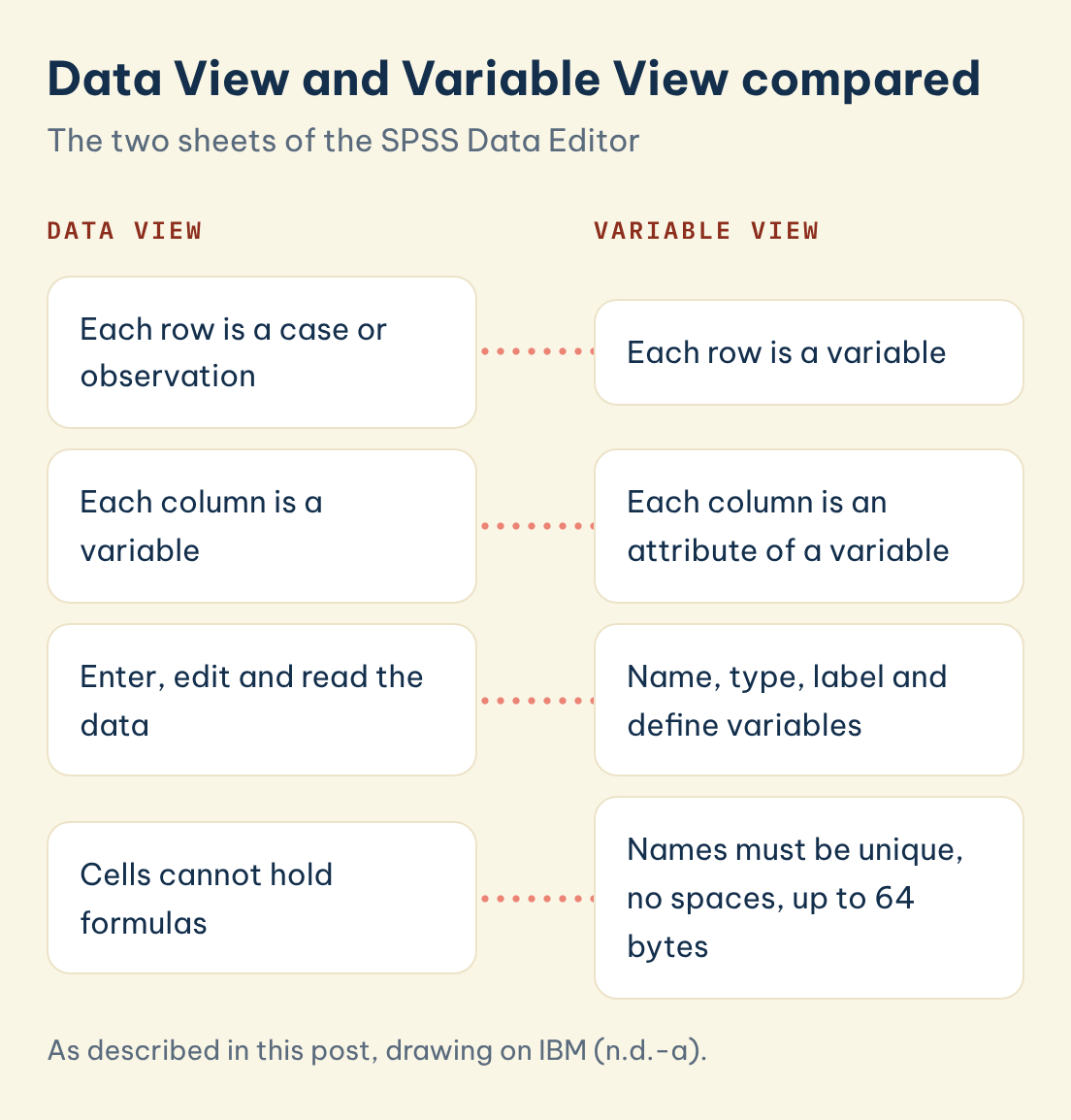
That one sentence explains most first-week confusion. In Excel you can type a total under a column and drag a formula across. In SPSS the data grid only stores values, and a new column is created through a menu command instead. IBM (n.d.-a) describes Data View as the place where rows are cases, "a case or an observation", and columns are variables, "a variable or characteristic that is being measured" (pp. 50-51). Because SPSS needs to know what each column means, it keeps a second sheet for that, called Variable View. The table below sets the two spreadsheet-style views side by side, using IBM (n.d.-a, pp. 50-51).
| Data View | Variable View | |
|---|---|---|
| What each row is | A case or observation | A variable |
| What each column is | A variable | An attribute of a variable |
| What you do there | Enter, edit and read the data | Name, type, label and define variables |
| Formulas in cells | Not allowed | Not applicable |
Data View and Variable View compared
The two sheets of the SPSS Data Editor
Data View
Variable View
Each row is a case or observation
Each row is a variable
Each column is a variable
Each column is an attribute of a variable
Enter, edit and read the data
Name, type, label and define variables
Cells cannot hold formulas
Names must be unique, no spaces, up to 64 bytes
Save this figure
◆ Question 3 / 8 · Variables
How do you define variables in SPSS before entering data?
Direct answer: Open Variable View and give each variable a unique name without spaces, a type, value labels and a measurement level. IBM's guide for version 29 says variable names cannot contain spaces, must be unique and may run to 64 bytes (IBM, n.d.-a, pp. 51-52). Do this before typing any data.
Think of Variable View as the codebook for your dataset, where the 64-byte limit on a name is rarely a problem in practice. Take a hypothetical survey with three columns. Age in years is a scale variable. Gender is nominal, coded 0 for male and 1 for female, which is the example IBM (n.d.-b) uses for value labels. Satisfaction is ordinal, scored on a numeric scale. IBM (n.d.-a) defines the first two levels this way: a nominal variable has "categories with no intrinsic ranking", and an ordinal variable has "categories with some intrinsic ranking" (p. 52).
The third level is scale. IBM (n.d.-a, p. 52) says a variable can be treated as scale when its values have a meaningful metric, and gives age in years as an example. The table summarises how the three levels differ.
| Measurement level | What the values represent | Example |
|---|---|---|
| Nominal | Categories with no intrinsic ranking | Group membership coded 0 and 1 |
| Ordinal | Categories with some intrinsic ranking | A rating scored with numeric codes |
| Scale | Values with a meaningful metric | Age in years |
Use numeric codes for ordinal data. IBM (n.d.-a, p. 52) warns that with string ordinal variables the order of categories is read alphabetically as "high, low, medium", and advises that numeric codes are more reliable. Also define missing values here. IBM (n.d.-b) gives 99 = Not applicable as an example of a missing-value code, and the University of Liverpool (n.d.) handbook warns that you must tell SPSS which values are missing or certain analyses return an error.
◆ Question 4 / 8 · Data entry
How do you enter data in SPSS?
Direct answer: Switch to Data View, click a cell and type the value. IBM's guide for version 29 notes that data values are not recorded until you press Enter or select another cell, and that to enter anything other than simple numeric data you must define the variable type first (IBM, n.d.-a, p. 60). One row equals one participant.
Beginners often ignore that page 60 rule and type first, define later, which creates trouble because a text entry in a variable that was never typed as text will not behave. Work column by column or row by row, whichever matches how your questionnaires or records are laid out, but keep one rule: every participant occupies exactly one row, and every column holds the same variable for every participant. If a participant skipped a question, leave the cell empty or enter the missing-value code you declared in Variable View, instead of typing a zero. A zero is a real answer in most scales, and SPSS will include it in your mean. After you enter your first ten rows, stop and scan them against the original source. Catching a shifted column early costs two minutes, while catching it after the analysis costs a full rerun.
◆ Question 5 / 8 · Excel import
How do you import data from Excel into SPSS?
Direct answer: Go to File > Import Data > Excel, or drag the file into an open SPSS window. By default the Data Editor reads the first worksheet (IBM, n.d.-c). Put variable names in the first row, then open Variable View to add the labels, missing-value codes and measurement levels that Excel cannot hold.
IBM (n.d.-c) explains that you can read variable names from the first row, and that names which break the naming rules are converted to valid ones, with the original names kept as variable labels. Two traps follow from this. First, copying and pasting is not the same as importing: the University of Liverpool (n.d.) handbook warns that if you copy data from Excel, the column names will not automatically land in the right place in SPSS. Second, a column with mixed formats is risky. IBM (n.d.-c) states that when no consistent format is used by the specified percentage of values, the variable is assigned the string data type, so one stray word in a numeric column can turn the whole column into text.
Excel files also arrive without several variable properties. IBM (n.d.-b) lists value labels for numeric codes, missing-value codes and measurement level as properties missing from Excel data, and says all of them can be assigned in Variable View. Treat an import as the start of the definition step, not the end of it.
◆ Question 6 / 8 · Check and output
How do you check your data and read the output?
Direct answer: Run Analyze > Descriptive Statistics > Frequencies before any test. IBM's documentation calls the Frequencies procedure "a good place to start looking at your data" (IBM, n.d.-d). Look for impossible values, unexpected categories and missing cases, then read the results in the Viewer.
A frequency table shows every value that exists in a column and how often it occurs, so a typing error such as an age of 200 or a code of 3 where only 0 and 1 are valid appears immediately. IBM (n.d.-d) notes that the Statistics tab also offers the mean, median, mode and standard deviation, and that the median is not sensitive to outlying values, unlike the mean. Once the data look clean, run your test. In the Viewer you read the results themselves, and IBM (n.d.-a) says all statistical results, tables and charts are displayed there (p. 1).
One habit will save you hours. Before you click OK in any dialog, click Paste instead. IBM (n.d.-a) explains that pasting the syntax at each step builds a job file that lets you repeat the analysis later (p. 168). Purdue University's Statistical Consulting Service (2020) adds a reassurance for nervous first-timers: "Using Paste will not cause the procedure to be performed" (p. 4), so you run the pasted command yourself from the syntax window. Save that syntax file alongside your data, so that when your supervisor asks you to drop two participants you can rerun everything in one click. For what to report once the numbers are on screen, see our guide to descriptive statistics for a dissertation.
◆ Question 7 / 8 · Free options
Can you use SPSS for free, or install it for free?
Direct answer: Partly. IBM offers a free trial that lasts 14 days and begins when you register, and you may take it only once per year (IBM, n.d.-e). Many universities also provide SPSS to students, so check yours first. GNU PSPP is a free alternative that resembles SPSS but is not identical.
IBM (n.d.-e) states that the 14-day trial includes all features of the subscription but comes without technical support, so it suits a short project better than a full dissertation. For longer work, the University of Liverpool (n.d.) handbook states that the software is free to download for its students. That is one university's arrangement, so do not assume yours matches. Ask your library or IT service before paying for anything.
The Flathub (n.d.) listing describes GNU PSPP as "a Free replacement for the proprietary program SPSS", with no licence fees, and notes that it "appears very similar to it with a few exceptions". That wording promises similarity, not identical features, so check that your department accepts PSPP output before relying on it.
◆ Question 8 / 8 · Expert help
Can a mentor help you with SPSS and your results chapter?
If you can follow the steps above, you can usually run your first analysis yourself, and that is the best outcome. Help is worth having when your supervisor has flagged the output, when you are unsure which test fits your design, or when the numbers on screen do not match what you expected. Through MAAS SPSS and data analysis guidance, a MAAS expert works through your own dataset and output with you, explains what each table means and reviews how you report it. You stay the author throughout, and your institution decides what the work earns. Send a short description of your dataset and the output you do not understand, and the mentor will walk you through the logic until you could explain it to your marker.
Frequently asked questions
What is IBM SPSS Statistics?
It is IBM's statistical analysis platform, the product this guide calls SPSS software. Its documentation is published by version, so match the guide to the version you installed (IBM, n.d.-a).
Can we use SPSS for free?
Partly. IBM's trial lasts 14 days and can be taken once per year (IBM, n.d.-e), a university licence depends on your university, and the free alternative PSPP is similar but not identical (Flathub, n.d.).
Is SPSS similar to Excel?
It shows a grid like Excel, but its cells cannot hold formulas, and each column must be a defined variable (IBM, n.d.-a, p. 51).
Why does my Excel import show text instead of numbers?
SPSS assigns the string type when a column has no consistent format (IBM, n.d.-c). Clean the column in Excel first, then reimport.
What is Paste for in SPSS dialog boxes?
It writes the command syntax for your selections into a syntax window, so you can save and rerun the analysis later (IBM, n.d.-a, p. 168).
Where do my results appear in SPSS?
In the Viewer, which opens automatically the first time you run a procedure that generates output (IBM, n.d.-a, p. 1).
References
Flathub. (n.d.). GNU PSPP [Software listing]. https://flathub.org/en/apps/org.gnu.pspp
International Business Machines Corporation. (n.d.-a). IBM SPSS Statistics 29 core system user's guide. IBM. https://www.ibm.com/docs/en/SSLVMB_29.0.0/pdf/IBM_SPSS_Statistics_Core_System_User_Guide.pdf
International Business Machines Corporation. (n.d.-b). Variable properties. IBM SPSS Statistics 32.0.0 documentation. https://www.ibm.com/docs/en/spss-statistics/32.0.0?topic=preparation-variable-properties
International Business Machines Corporation. (n.d.-c). Reading Excel files. IBM SPSS Statistics 32.0.0 documentation. https://www.ibm.com/docs/en/spss-statistics/32.0.0?topic=files-reading-excel
International Business Machines Corporation. (n.d.-d). Frequencies. IBM SPSS Statistics 32.0.0 documentation. https://www.ibm.com/docs/en/spss-statistics/32.0.0?topic=features-frequencies
International Business Machines Corporation. (n.d.-e). IBM SPSS Statistics: Resources [FAQ]. IBM. https://www.ibm.com/products/spss-statistics/resources
Purdue University Statistical Consulting Service. (2020). SPSS tutorial: For using standard version 26 with Microsoft Windows & Mac OS. Purdue University. https://www.stat.purdue.edu/scs/docs/SPSS_tutorial.pdf
University of Liverpool. (n.d.). Introduction to SPSS handbook. https://libguides.liverpool.ac.uk/ld.php?content_id=32811158
Not sure how this guide applies to your own case? Talk it through with MAAS in a free 20-minute consultation.
Book a free consultation ▸